
How Old Is Your HVAC System, Really?
Your HVAC system might be much older and less efficient than it looks.
Many homeowners are surprised to learn that their heating or cooling systems have been operating for more than a decade. Even if the system still seems to work, it may be wasting energy, increasing utility bills, and providing less comfort than a newer unit.
This page will help you understand how to check your HVAC system’s true age, why it matters, and what you can do if it is nearing the end of its lifespan.
What Is the HVAC Age Checker and Is It Free?
Yes, the HVAC Age Checker is completely free.
The HVAC Age Checker is an easy-to-use online tool that helps you find out how old your heating or cooling system really is. Simply enter your unit’s brand and serial number and you will instantly see its exact age without needing to call a technician.
Knowing your HVAC system’s age matters because it helps you:
- Save money by improving energy efficiency
- Avoid costly breakdowns before they happen
- Plan ahead for replacements at the right time
Try our free HVAC Age Checker today and discover your system’s real age in seconds.
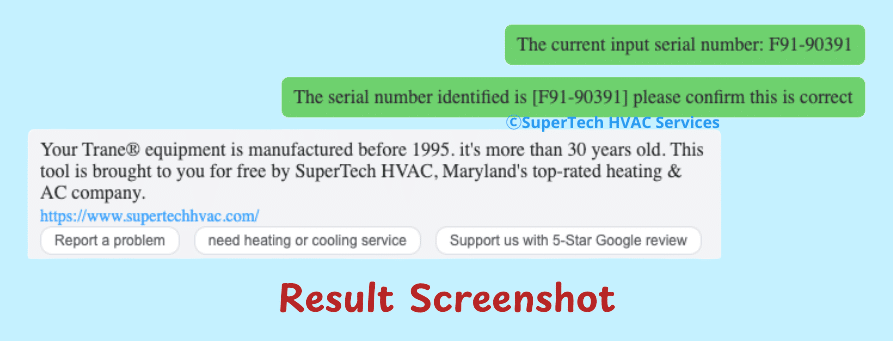
If you are not sure where to find your system information, follow the step-by-step instructions below.
How to Locate Your System Brand and Serial Number
Where to Find the Brand
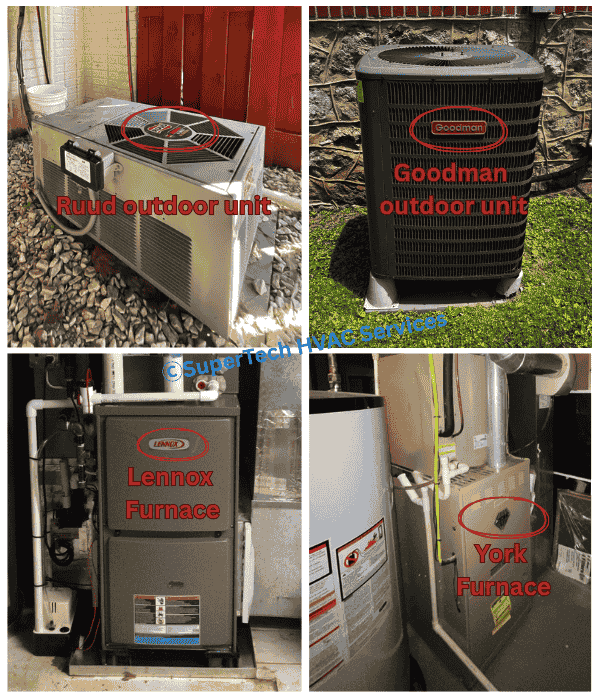
You can usually find your HVAC system’s brand name printed clearly on the outer cabinet, access panel, or nameplate.
Common HVAC brands include Airtemp, Amana, American Standard, Trane, Armstrong Air, Buderus, Bosch, Bryant, Burnham, Carrier, Coleman, Columbia, Comfortmaker, Daikin, Ducane, Fujitsu, Gibson, Goodman, Heil, ICP, Janitrol, Lennox, LG, Lochinvar, Mitsubishi Electric, National Boiler Co., Navien, Nordyne, Payne, Peerless, Rheem, Ruud, Weather King, Source1, Weil-McLain, Whirlpool, York, and many others.
If your brand is not listed, there is no need to worry. The HVAC Age Checker supports dozens of less common brands as well.
Select a letter below to view the complete list of brands starting with that letter in our age-checker tool.
Where to Find the Serial Number
Your system’s serial number is usually printed on a metal sticker, data plate, or label. To use the HVAC Age Checker, you will need the model and serial numbers found on:
Outdoor unit label:
A split air conditioner or heat pump system includes an outdoor unit, often called the condenser, and an indoor unit. The label on the outdoor condenser is usually located on the back of the unit, above the wiring and copper line connections.
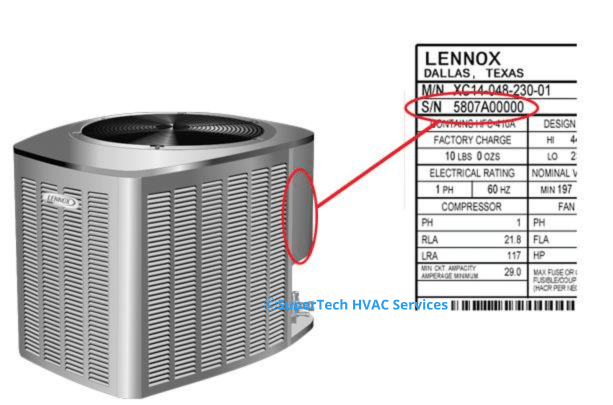
Indoor Unit label:
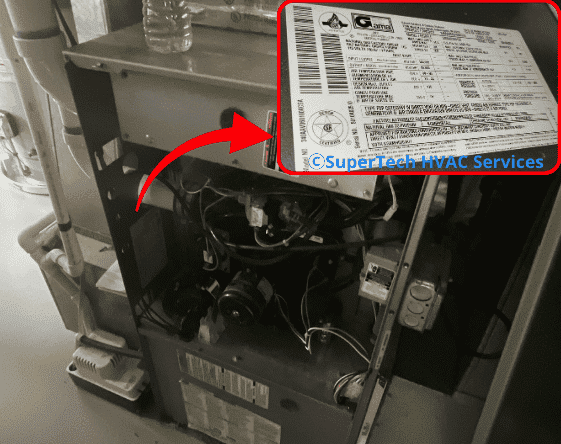
If you have a furnace, the equipment label is often located inside the cabinet. Turn off the furnace first, then remove the front panel, and look on the inside wall of the cabinet for the label.
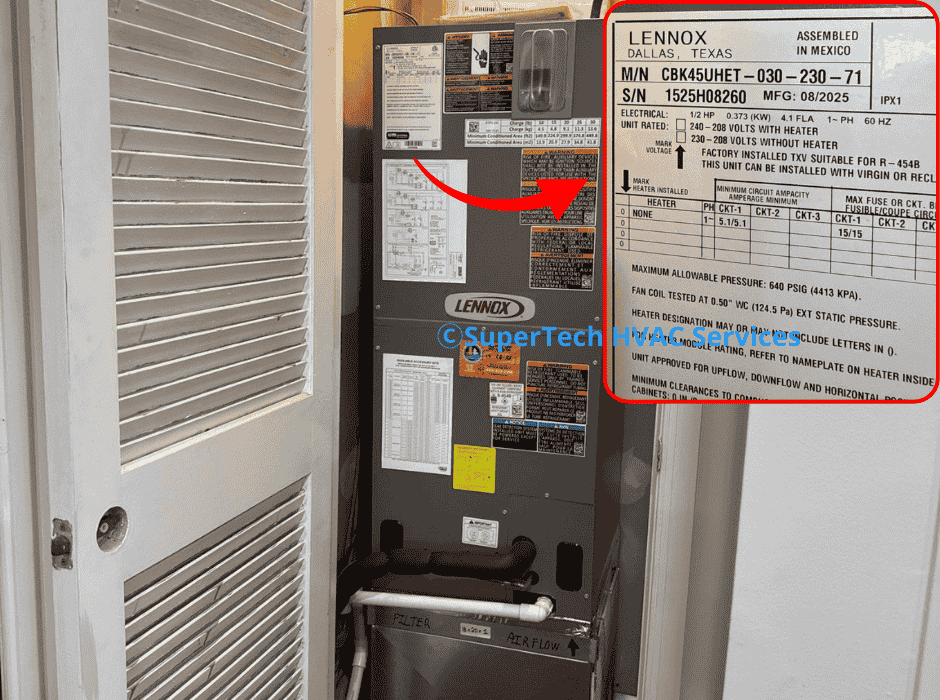
If you have an air handler, the equipment label is usually located on the outside of the cabinet.
Understanding the Serial Number
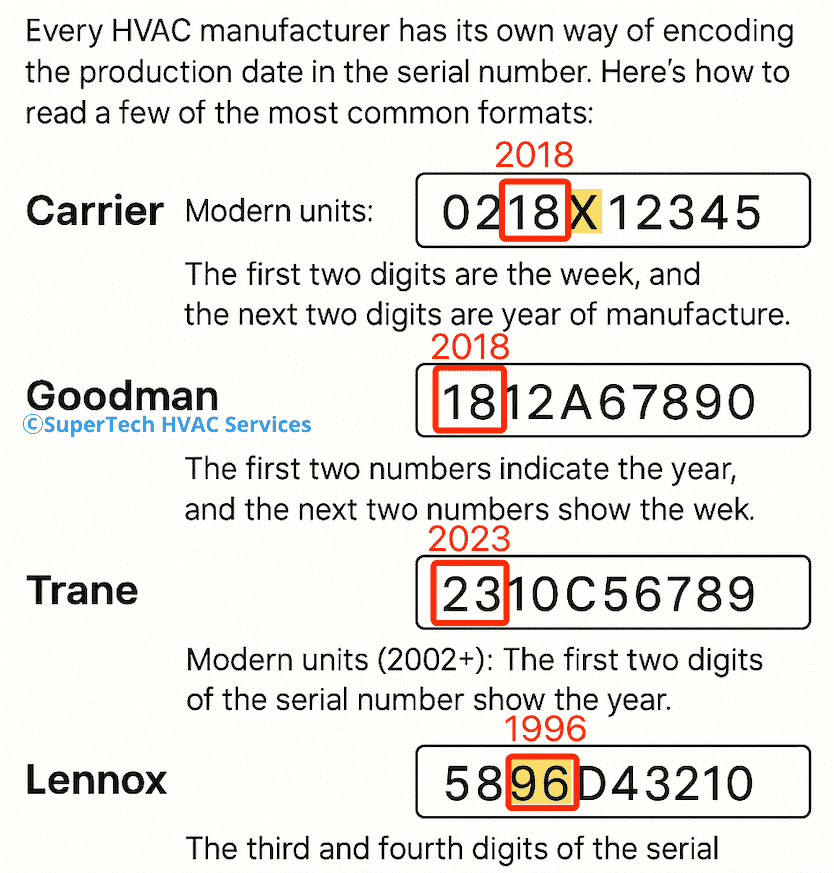
Every HVAC manufacturer has its own way of encoding the production date in the serial number. Here’s how to read a few of the most common formats:
Carrier
- Modern units: The first two digits represent the week, and the next two digits represent the year of manufacture. Example: 0218X12345 → Week 02, Year 2018.
- Older units: The nameplate may list “MFR DATE”, which shows the manufacturing date directly.
Goodman
- The first two numbers indicate the year, and the next two numbers show the week of production.
Trane
- Check the data plate—usually located on the side of the outdoor condenser or indoor air handler.
- Modern units (2002+): The first two digits of the serial number show the year.
Example: 23XXXXXXXX → 2023. - Older units: The coding format may vary.
Lennox
- The third and fourth digits of the serial number represent the year of manufacture.
Example: 5896A36571 → Year 1996.
Because every brand is different, the HVAC Age Checker automatically decodes these details for you.
When You Do Not Have a Label
If the label or sticker is missing, you can still estimate your system’s age by checking:
- Installation or service invoices
- Maintenance or warranty records
- Utility bills from the time of installation
- Physical signs of aging such as rust, faded efficiency labels, or outdated design features
The HVAC Age Checker supports most major brands and can identify systems even with partial information.
How Is My HVAC Age Calculated and How Accurate Are the Results?
All major HVAC brands include a manufacturing date in the serial number on the unit’s label. The HVAC Age Checker decodes this information using verified manufacturer data.
For most systems, the results are very accurate. However, the installation date may differ slightly from the manufacturing date, especially if the unit was stored or shipped before being installed.
In rare cases, smaller brands may not use standard serial formats. When that happens, the tool provides the best available estimate.
Typical Lifespan of HVAC Equipment
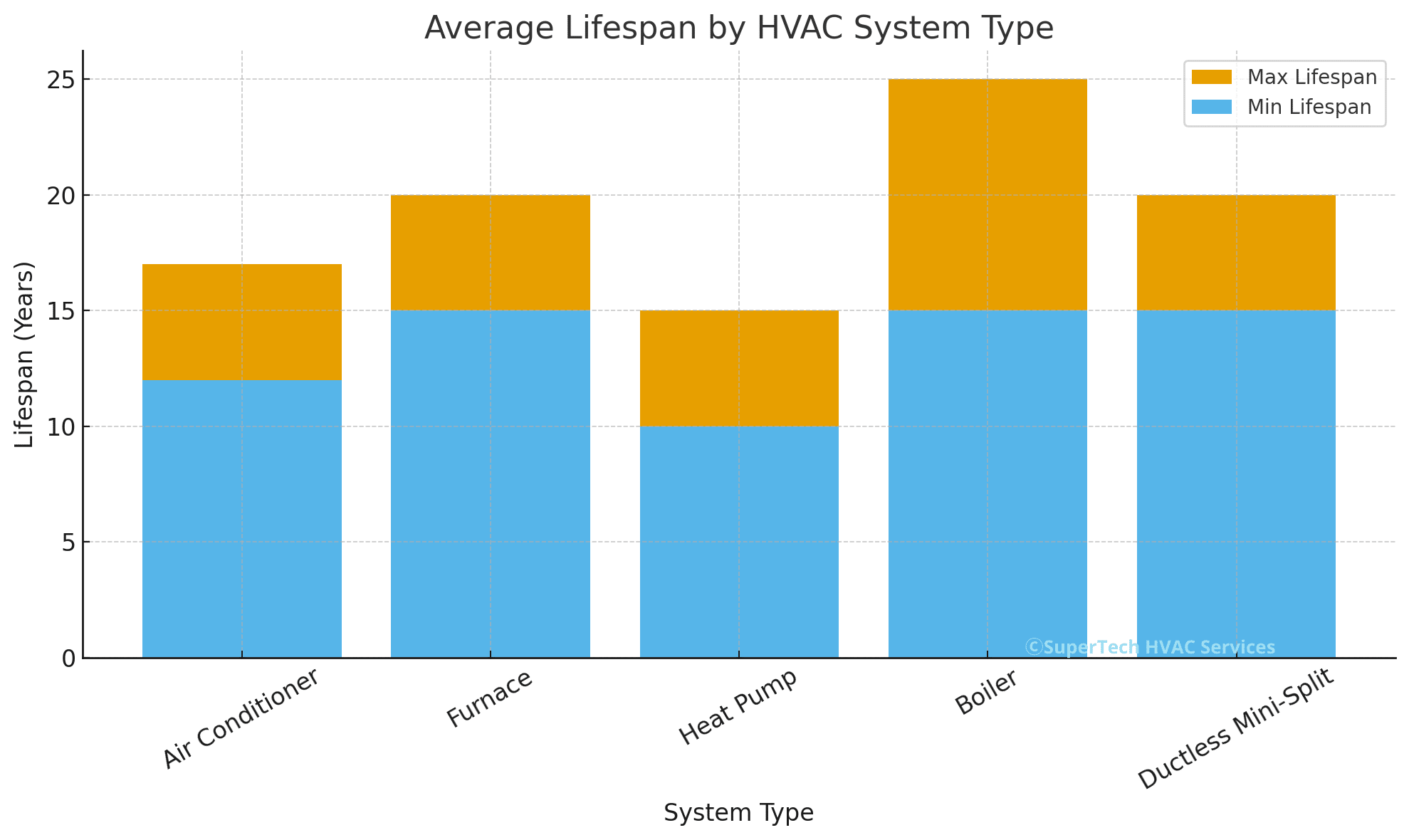
Average Lifespan by System Type
Air Conditioner: 12 to 17 years
Furnace: 15 to 20 years
Heat Pump: 10 to 15 years
Boiler: 15 to 25 years
Ductless Mini-Split: 15 to 20 years
Factors That Affect Lifespan
Regular maintenance
Routine tune-ups and filter changes help keep your system clean, efficient, and running longer.
Installation quality
A properly sized and well-installed system will perform better and experience fewer breakdowns over time.
Climate and humidity
Extreme temperatures or high humidity can strain your system, causing parts to wear out more quickly.
Frequency of use
Systems that run year-round naturally experience more wear and tear compared with those used seasonally.
Brand and component quality
Higher-quality brands and parts are typically built to last longer and offer more reliable performance.
Signs Your HVAC System May Be Near the End
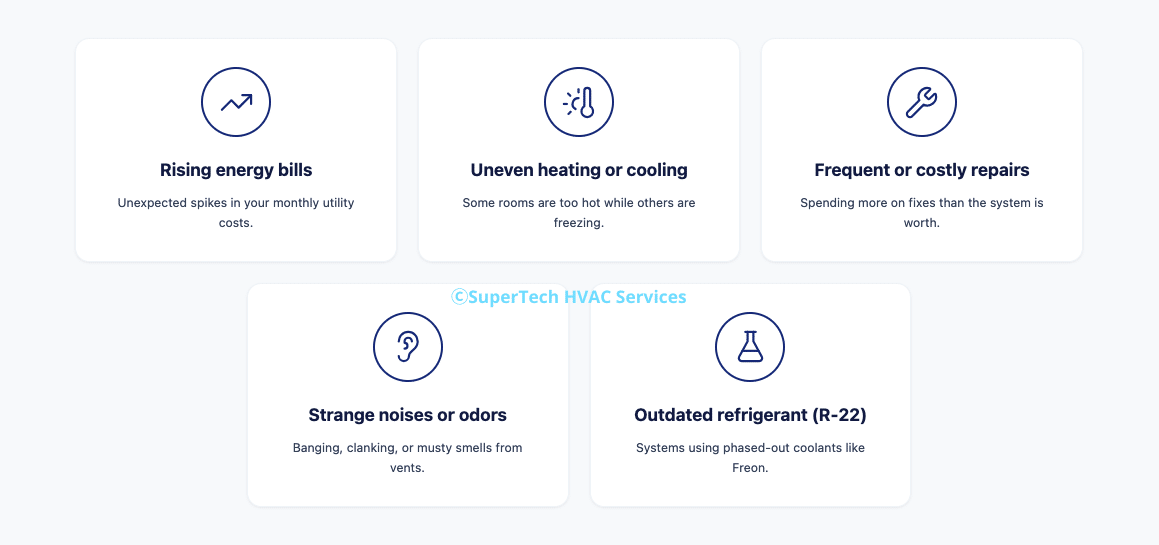
Rising energy bills
If your energy costs keep increasing even though usage has not changed, your system may be losing efficiency.
Uneven heating or cooling
When some rooms are warmer or colder than others, it often means the system is struggling to maintain proper airflow or capacity.
Frequent or costly repairs
When repair calls become frequent or expensive, it may be more practical to invest in a replacement.
Strange noises or odors
Grinding, banging, or burning smells can signal mechanical issues or electrical problems that indicate your system is wearing out.
Outdated refrigerant such as R-22
Older systems using phased-out refrigerants are not only expensive to maintain but also less efficient and environmentally unfriendly.
Should You Replace or Repair an Older System?
Multiply the repair cost by the system’s age. If the total is greater than 5000, replacement is usually the better financial decision.
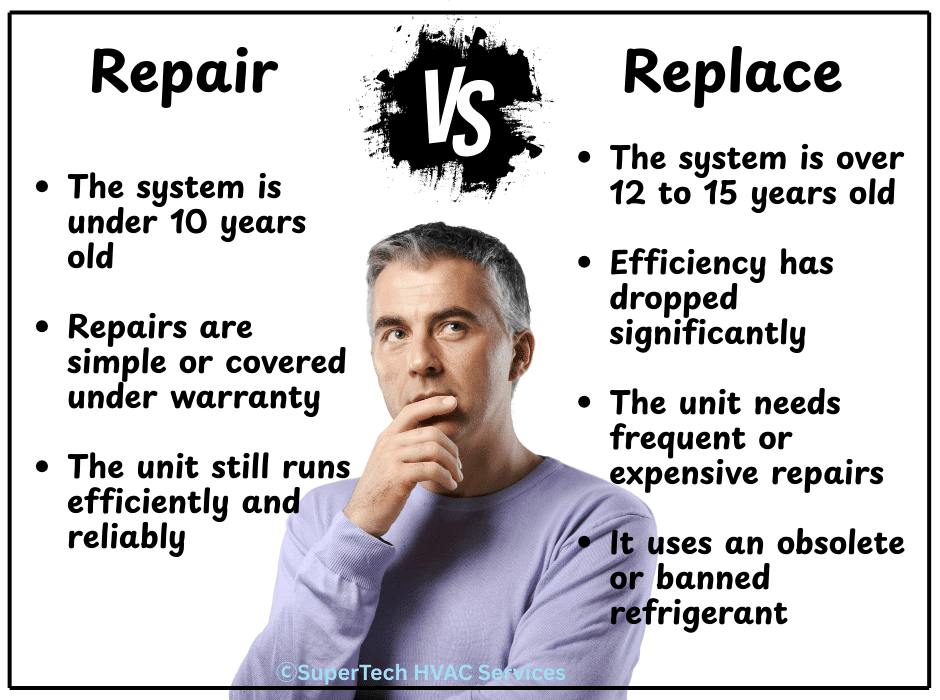
Replacement makes sense when:
- The system is over 12 to 15 years old
- Efficiency has dropped significantly
- The unit needs frequent or expensive repairs
- It uses an obsolete or banned refrigerant
Repair may be the better option when:
- The system is under 10 years old
- Repairs are simple or covered under warranty
- The unit still runs efficiently and reliably
A major repair often costs between 800 and 1500 dollars, while a new system can range from 6000 to 10000 dollars.
Replacing an aging system can reduce energy costs by 20 to 40 percent, often paying for itself within a few years.
Modern systems may also qualify for rebates, tax credits, and utility discounts. Knowing your system’s age helps you decide when the potential savings outweigh the cost of continued repairs.
Energy Efficiency and Cost Savings with Modern Systems

Modern HVAC technology can lower energy use by 20 to 40 percent compared with older models.
New systems use updated performance ratings such as SEER2, AFUE, and HSPF2 to show how efficiently they convert energy into heating or cooling.
For example, replacing a 15-year-old 10 SEER air conditioner with an 18 SEER model can save about 400 to 600 dollars a year on energy bills.
Knowing your system’s age helps you estimate how much you could save by upgrading.
Modern systems offer many advantages, including higher efficiency, quieter operation, cleaner indoor air, and compatibility with smart thermostats.
Warranties and Installation Dates
It is important to understand that the manufacturing date is not always the same as the installation date. Most HVAC warranties begin at the time of installation.
Some manufacturers require you to register your system online shortly after installation to receive full warranty protection.
Check your brand’s website for warranty lookup tools and always keep receipts, contractor contact information, and registration records for future reference.
Maintenance Tips to Extend HVAC Lifespan
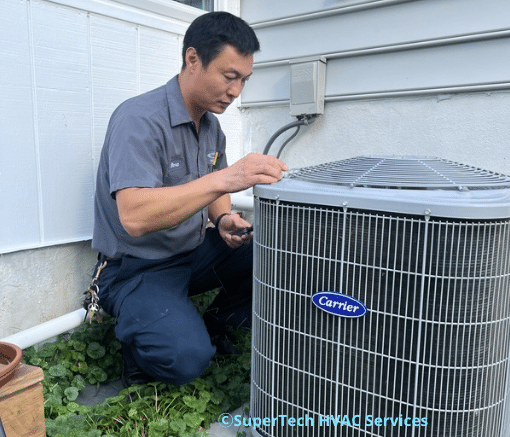
If you are not ready to replace your system, regular maintenance can keep it running efficiently and extend its life.
Schedule a professional tune-up once a year to ensure safety, performance, and reliability. A qualified technician will inspect, clean, and adjust the system to prevent unexpected breakdowns.
Homeowners can also:
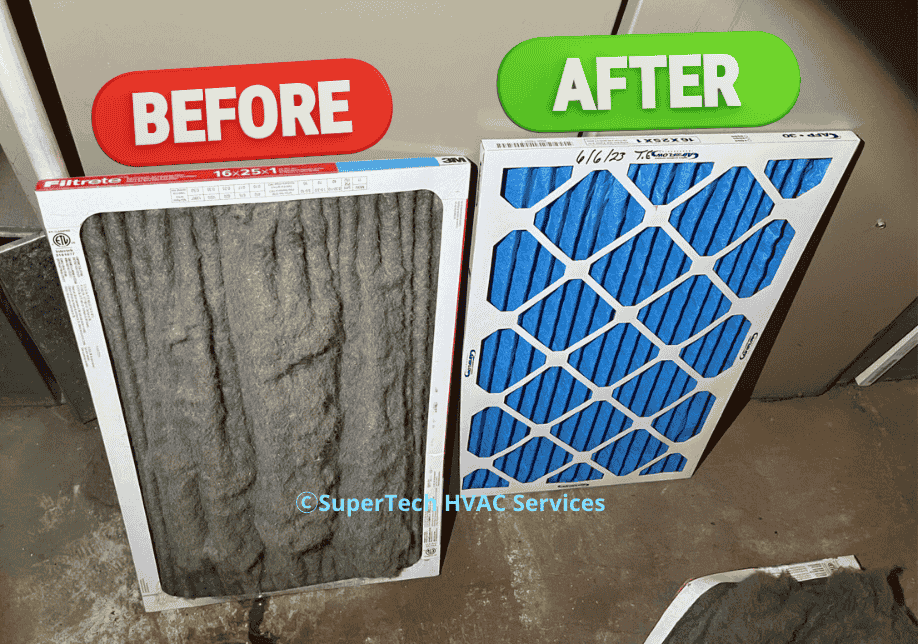
- Replace filters regularly
- Keep outdoor units clear of debris
- Check thermostat calibration
- Ensure vents and registers remain open
Watch for warning signs such as leaks, burning smells, or unusual noises. Addressing problems early can prevent expensive repairs later.
Consistent maintenance lowers energy bills, improves comfort, and helps the system last longer.
SuperTech HVAC is a trusted contractor serving Maryland homeowners and businesses. Our certified technicians provide honest recommendations, expert service, and dependable solutions without unnecessary upselling.
Last, but not the least
Knowing your HVAC system’s age helps you make informed and cost-effective decisions about maintenance, repair, and replacement.
Use our free HVAC Age Checker anytime to find out exactly how old your system is.
If you want a professional opinion, schedule a free system checkup with SuperTech HVAC. Our Maryland team can verify your system’s age, condition, and efficiency so you can plan your next steps with confidence.